

- Related Post: How to Remove Locked Widget from Blogger!
If you don't have any knowledge about HTML coding then it will be very hard to you to remove Powered by Attribution from your blog. Basically there is no high level coding knowledge needed to remove this Attribution from blogger. By adding a simple code in your blog head section you can easily remove this Attribution. Let's see how to do it...
Removing Powered by Blogger Attribution:
That's it. Now view your blog and you not see Powered by Blogger Attribution in your blog.
- First sign into your Blogger Account and go to Dashboard.
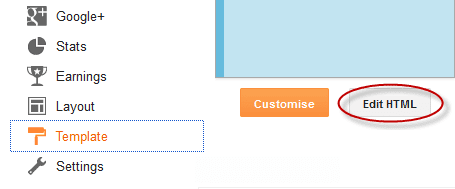
- Then click on Template option and click Edit HTML. You will land on your blog HTML page.
- Here in this page find </head> tag and Paste the following code just Above it.
  <style>
 #Attribution1 {
 display: none;
 }
 </style>
That's it. Now view your blog and you not see Powered by Blogger Attribution in your blog.
Stay with www.iTTimebd.com for more IT related Post